Session control
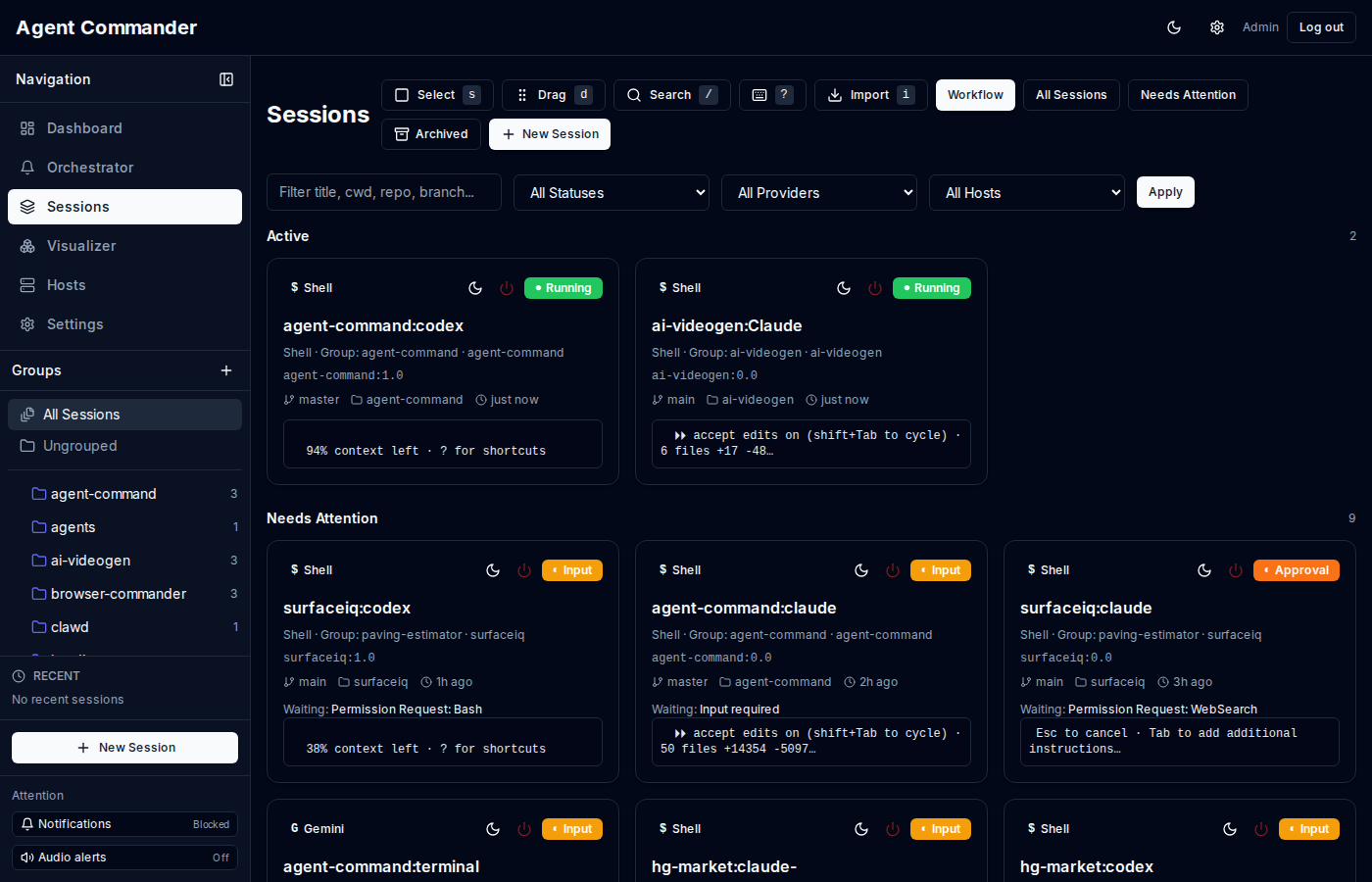
Discover tmux panes, spawn new sessions, fork, rename, archive, and bulk-manage workstreams.
- Session templates for multi-agent workflows
- Groups, links, and session relationships
- Snapshots and event timelines
Agent Commander discovers real tmux sessions, streams them live into the browser, and gives you one place to orchestrate approvals, errors, and multi-host activity.
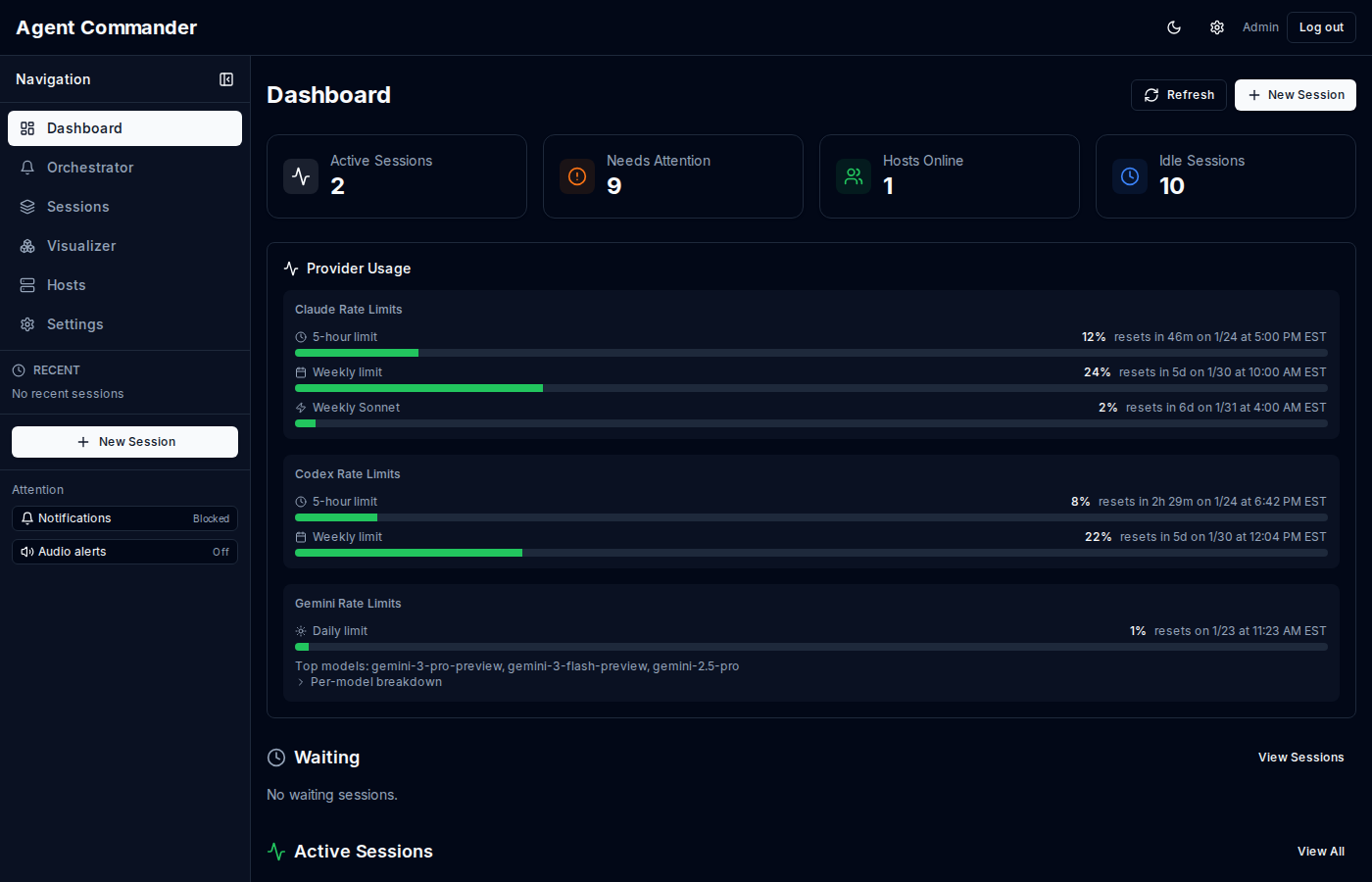
Everything Agent Commander does, distilled from the docs.
Discover tmux panes, spawn new sessions, fork, rename, archive, and bulk-manage workstreams.
Stream tmux panes in real time with full terminal semantics and secure control handoff.
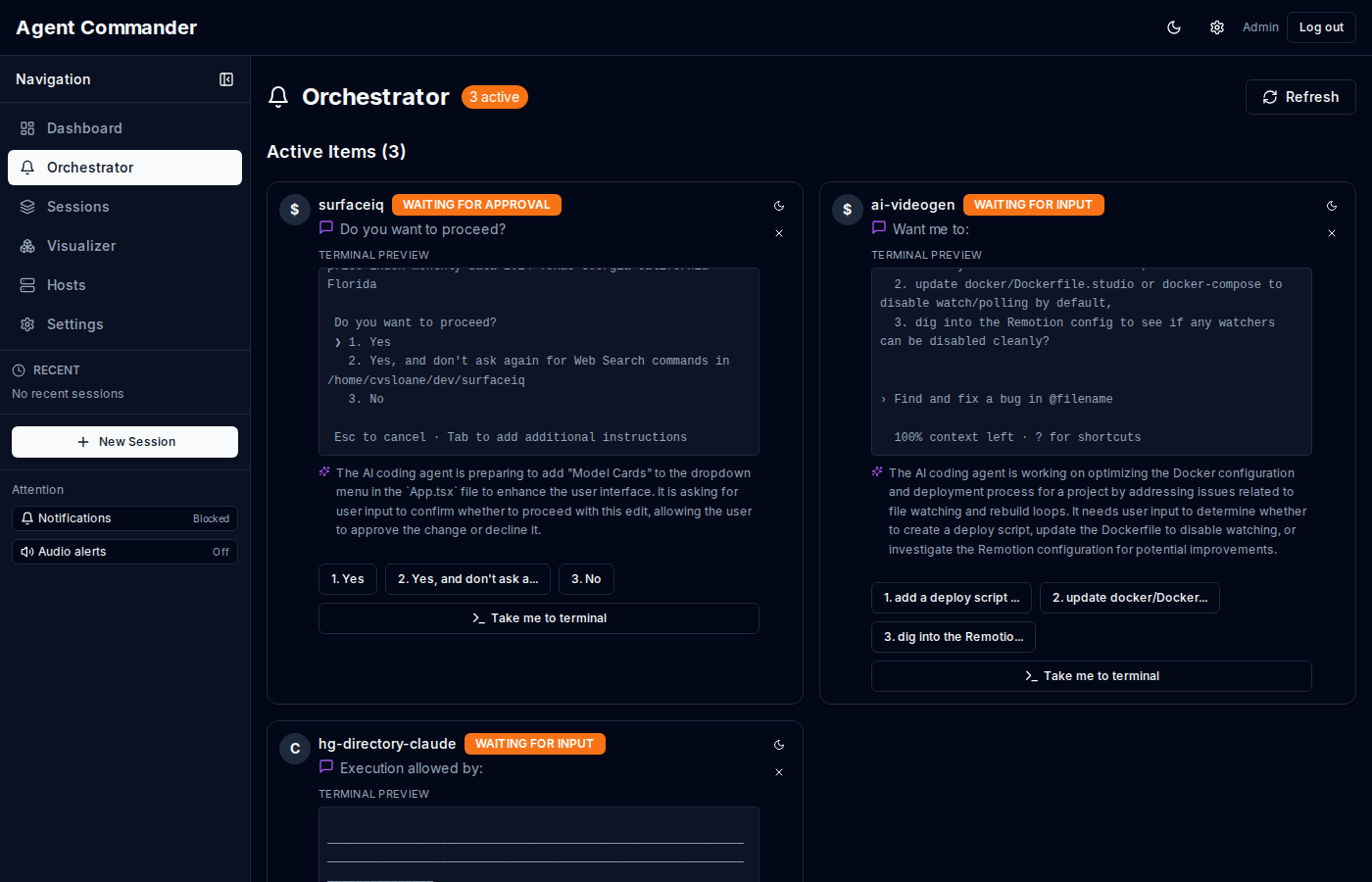
Centralize sessions that need attention: approvals, input, or error recovery.
Immersive full-screen activity view for monitoring live agent work.
Browser, audio, toast, and Clawdbot alerts with per-provider filters.
Track usage, approval outcomes, and search across sessions and snapshots.
Configure MCP servers per host or session and enable live voice transcription.
Role-based access, scoped host tokens, and configurable agentd capabilities.
Agent Commander is a four-part system: dashboard, control plane, agentd, and Postgres.
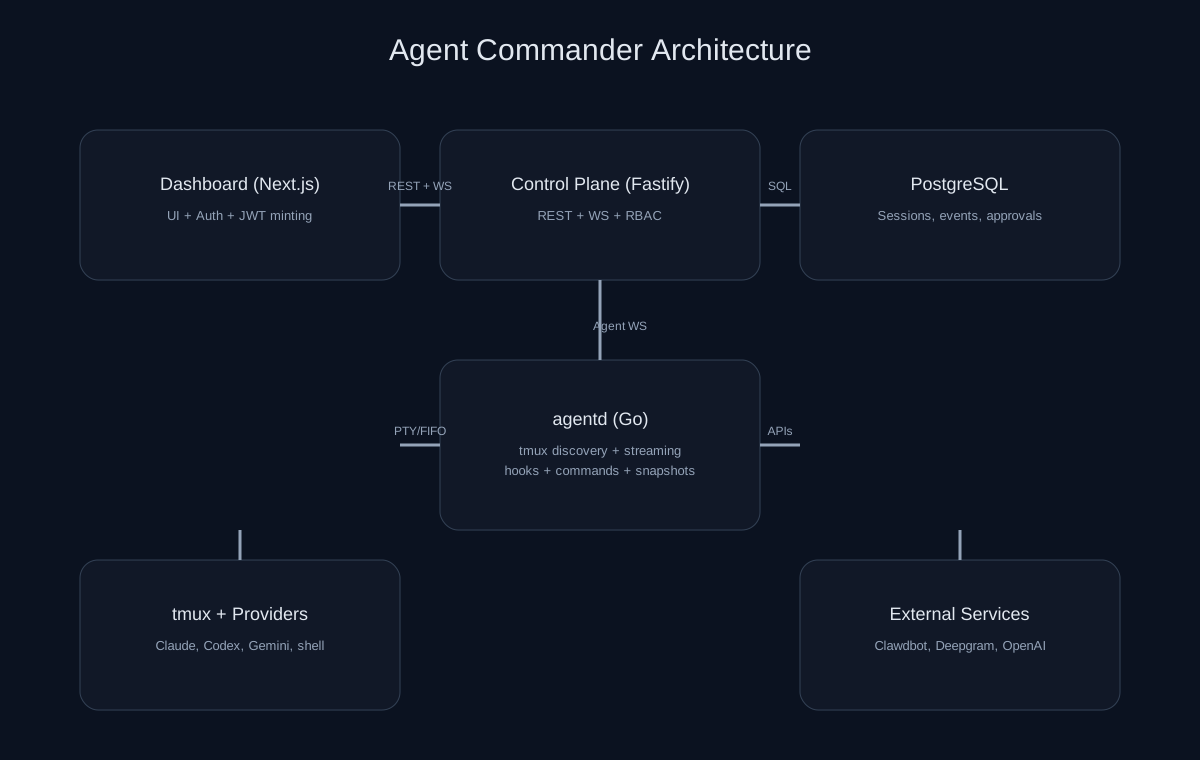
agentd runs on each host, polls tmux panes, captures snapshots, and streams output.
REST + WebSocket APIs persist session state, approvals, and analytics in Postgres.
The UI subscribes to live updates, provides terminal control, and manages approvals.
OpenAI summaries, Deepgram transcription, and Clawdbot notifications plug in as needed.
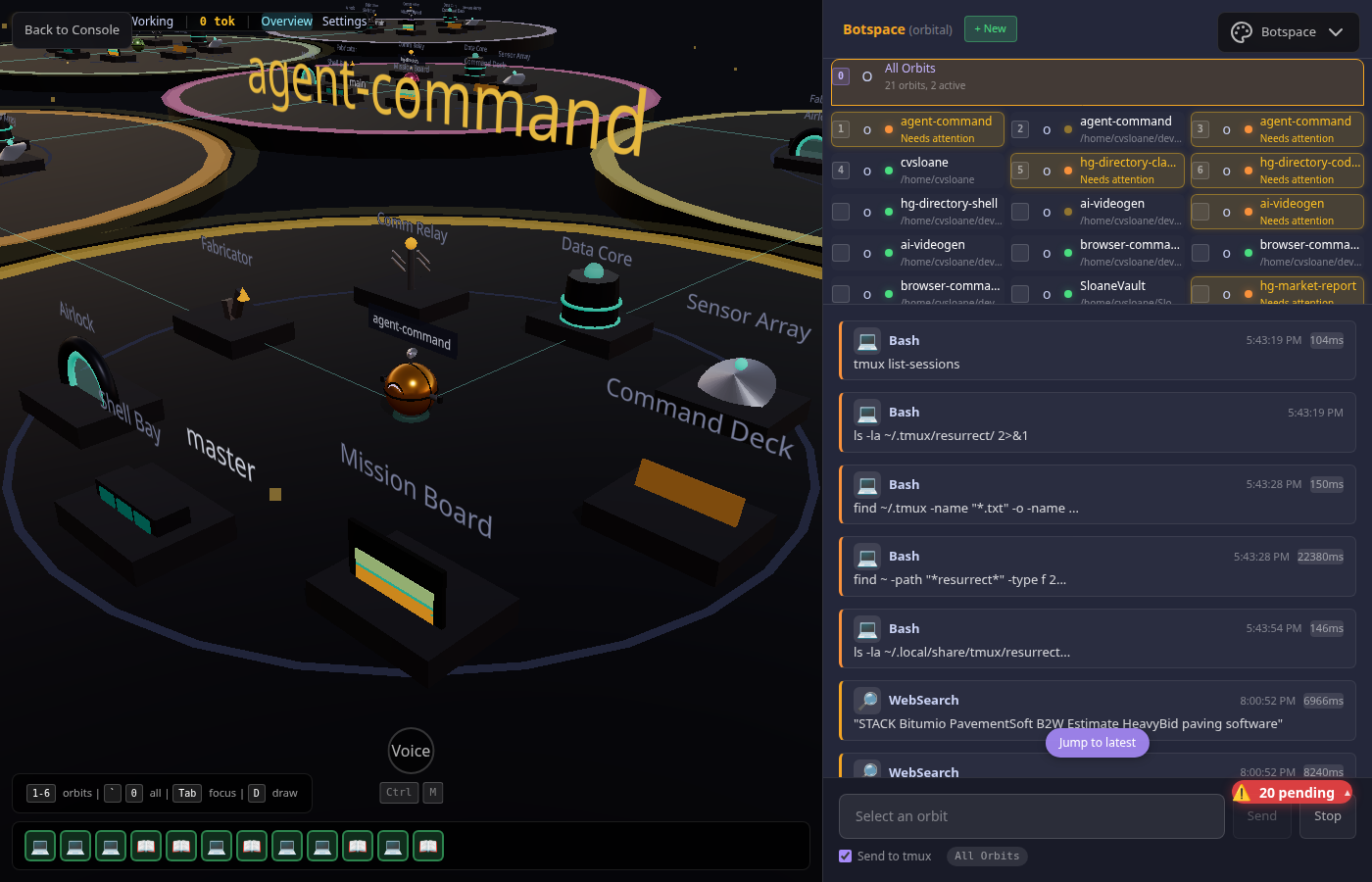
Real screenshots from the running system.
Run the stack privately and keep the docs public.
Keep the app on your internal domain. Use VPN or Cloudflare Access for gating.
Serve this feature dive at agentcommander.co and the full docs at docs.agentcommander.co.
Deploy static docs with a single Dockerfile and manage DNS in Cloudflare.
No. The public site is docs only. The live app runs on private infrastructure.
tmux, Postgres, Node 20+, and Go 1.22+. See the getting started guide.
Yes. The control plane and dashboard can run together with local Postgres.